
Apogee Internet Broadband Speedtest and troubleshooting
Apogee Internet internet Speed Checker
Click on the “Go” button on the Ookla Speed Test to see the broadband speed of your Apogee Internet broadband connection.
Information on how to troubleshoot problems with your Apogee Internet internet connection can be found below the speed test widget.
Unhappy with Your Apogee Internet broadband connection?
Enter Your Postcode to review alternatives to Apogee Internet Broadband.
You deserve a completely unbiased look at the UK broadband market. Our broadband deals search engine gives you a completely of every provider available in your area. We list everything from the large national brands to the independent full fibre providers. We focus entirely on helping you find the best deal available in your area. We also add unique gift cards to specific deals.
Loading the latest broadband deals in your area...
How to troubleshoot Apogee Internet broadband performance issues

Before you begin troubleshooting the speed of your Apogee Internet broadband connection, we recommend that you perform a Apogee Internet Internet Speed Test to measure your current connection speed.
It is also a good idea confirm the minimum download speed that you are paying for from Apogee Internet.
You can get this information by checking your Apogee Internet broadband bill, your Apogee Internet contract or by contacting Apogee Internet.
Potential causes of Apogee Internet’s slow broadband performance
Is it your Apogee Internet internet connection that is slow or could it be your device (PC/laptop/phone)?
You may need to consider the number of applications are running on your device.
The speed issue could be due to over-utilisation of your device’s resources e.g RAM/CPU Processor and as opposed to an issue with Apogee Internet’s broadband connection.
If you’re on a computer then you may use the task manager to check your CPU and Memory utilization.
On other device, you should try restarting the device which should hopefully shutdown all programs that may be using up your systems resources.
Run the Apogee Internet Speed test on your PC and your phone to check how the speedtest results differ between the two devices.
This should hopefully give you more information to work with in terms of if the issue is with your PC/Smartphone or the Apogee Internet broadband connection.
- What does the Apogee Internet download and upload speed mean?
- Who is the best Internet Service Provider in the UK?
- Five methods to improve your Apogee Internet broadband performance
- Simple DNS hack to improve internet browsing speed on Apogee Internet
Is your Wifi network the problem?
The cause of the performance issue could be your internal Wifi network as opposed to the Apogee Internet broadband internet connection.
You could rule out the wireless by connecting your PC directly into the Apogee Internet broadband router with an ethernet cable and run the Apogee Internet Speedtest again.
If the speed test result is better when you’re connected via a network cable, this suggests that the issue may be with the wireless network.
A few other things to check:
- Are the WiFi channels that you are using for your wireless network network (SSID) overlapping with the neighbours?
- Is your Wi-Fi network signal from the wireless router obstructed?
- Does your performance improve when you’re standing directly infront of the Apogee Internet broadband router?
Who’s connected to my Wi-Fi network?
Have you checked that your Wi-Fi network password has not been compromised? Do you have an open wireless network? How strong is your Wifi network password? It could be time to change it.
Others could be using your Wifi network and eating up all your Apogee Internet speed by downloading, uploading or even streaming music or videos over your Apogee Internet internet connection! Worse still, they could be conducting illegal activities over your Apogee Internet broadband connection.

Here are 3 apps that you can utlise to scan your Wifi network to see who is connected:
- Microsoft users can use Wireless network watcher
- IOS users can use whoFi (who is on my Wifi)
- wifi network scanning tool WiFi Analyzer
The above apps analyse your wireless network and produce a list of the everything on your wifi.
Do I need a Wifi network booster for my Apogee Internet broadband?
If you discover that there are wireless coverage holes at your property, a wireless network extender aka a Wi-Fi Booster is the best fix to boost your Wifi signal to cover any coverage gaps.
The Wifi network booster picks up the existing wireless signal just as it is starting to become weaker and re-transmits the Wifi network signal to increase it’s coverage.
Position the wireless network extender near the position where your wireless signal from your Apogee Internet internet router is starting to become weaker.
Place it near where your wireless network signal drops down to 2 signal bars. Walk around your house with a tablet to find where this is.
When was the last time you upgraded the Apogee Internet broadband router?
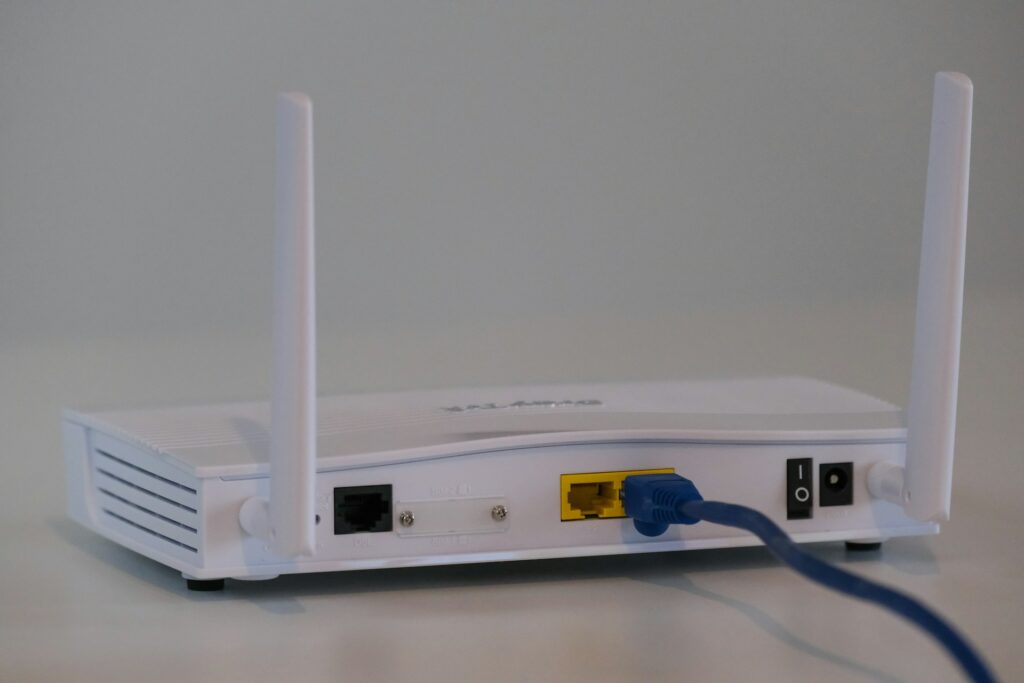
The Apogee Internet and broadband infrastructure, in general, are constantly upgraded to provide new features and improve performance as technology evolves. Ensure that your Apogee Internet broadband router is running the most up-to-date software.
Most Apogee Internet internet routers allow you to carry out the software upgrade by logging on the Apogee Internet broadband router and simply clicking a button to perform the upgrade.
If you cannot do this, get in touch with Apogee Internet and they will perform the upgrade for you or talk you through the process.
In addition to updating the software, if you have had router for a long time, it’s probably worth speaking to Apogee Internet to request for a router upgrade.
Is the problem outside your property (at the exchange)?
This is probably the most common cause for Apogee Internet broadband performance problems in your area and it’s more common with internet broadband connections that are delivered via phone lines.
If you are not sure if this is relevant in your case, contact Apogee Internet who should be able to carry out the appropriate line tests to see if there is a fault on the Apogee Internet broadband connection.
Is it due to Apogee Internet broadband congestion?
If you are finding that the Apogee Internet internet connection speed in your area is slows down during certain times e.g weekends or during the evening, then it may be due to congestion during peak times.
You should contact Apogee Internet to check your guaranteed speed.
Find Best Alternatives to Apogee Internet Broadband
Re-testing your Apogee Internet internet connection
After the issue has been fixed either by yourself or Apogee Internet, re-test your broadband connection using at least two independent Speedtests to ensure the issue is fixed:
-
- How to the ookla internet broadband speed checker to test your Apogee Internet connection
- Check your Apogee Internet broadband speed using Ookla Offical Speed Test
- Test your Apogee Internet broadbandspeed using fast.com speed test
- Check My Broadband Speed Checker Apogee Internet broadband speed checker