
Madasafish Broadband Speed Checker and troubleshooting
Madasafish internet Speed test
Click on the “Go” button below on the Ookla Speed Checker to check the broadband speed of your Madasafish broadband connection.
Information on how to fix issues with your Madasafish broadband are in the sections below the Ookla Speed test widget.
Not happy with Your Madasafish broadband connection?
Enter Your Postcode to check out alternative options to Madasafish Broadband.
You deserve a truly transparent look at the UK broadband market. Our growing database gives you a clear view of every Internet Service Provider (ISP) available on your street. We list everything from the large national brands to the fastest local networks. We focus entirely on finding you the absolute deal available on your street. We also add exclusive retail vouchers to specific broadband packages.
Loading the latest broadband deals in your area...
Troubleshooting Madasafish broadband performance problems

Before you start troubleshooting the speed of your Madasafish internet connection, we recommend that you perform a Madasafish Broadband Speed Test to measure your current broadband speed.
You may also want to confirm the guaranteed minimum download speed that you on your broadband package from Madasafish.
You can get this info by checking your Madasafish broadband bill, your Madasafish contract or by contacting Madasafish.
Likely causes of Madasafish’s slow broadband performance
Is it the Madasafish internet connection that is slow or could it be your device (laptop/smartphone/PC)?
You need to check the number of applications are currently running on your device.
The performance issue may be due to the over-utilisation of your system resources e.g Memory/CPU and not an issue with Madasafish’s internet connection.
If you’re on a computer then you can use the task manager to check your Processor and Memory utilization.
On any other device, you could try restarting the device which hopefully should kill all programs that may be hogging your systems resources.
Re-run the Madasafish Speedtest on your personal computer and your phone to check how the results differ between the two devices.
Hopefully this should provide you with more info to work with in terms of whether the issue is with your device or the Madasafish broadband connection.
- What exactly does the Madasafish download and upload speed mean?
- Who’s the best Broadband Service Provider in the UK?
- 5 methods to improve your Madasafish Internet speed
- DNS tip to improve internet browsing speed on Madasafish
Is your Wi-Fi network the reason for the issues?
The cause of the performance issue could be your Wifi as opposed to the Madasafish broadband internet connection.
You could rule out the wireless network by connecting your computer directly into the Madasafish broadband router with an ethernet cable and then run the Madasafish Speed checker again.
If the speed improves when you are connected by a network cable, this shows that the problem may be with the wireless network.
A number of things to look further into:
- Are the WiFi channels that you’re using for your Wi-Fi network network (SSID) overlapping with your neighbours?
- Is your wireless signal from the wireless router obstructed?
- Does your speed improve when your are stood directly in-front of the Madasafish broadband router?
Who’s connected to my Wi-Fi network?
Have you checked that your Wifi network password has not been shared? Do you have an open Wi-Fi network? How strong is your wireless network password? It may be time to change it.
Others could be using your Wi-Fi network and eating up all your Madasafish bandwidth by downloading, uploading or even streaming music or videos on your Madasafish internet connection! Worse still, they could be carrying out illegal activities using your Madasafish broadband connection.

Here are 3 applications that you can use to scan your wireless network to check who is connected:
- Microsoft Windows users can use Wireless network watcher
- IOS users can use whoFi (who is on my Wifi)
- WiFi troubleshooting application WiFi Analyzer
The above applications will scan your Wi-Fi network and produce a list of the connected devices.
Do I need a wireless network booster for my Madasafish broadband?
If you discover that you have wireless coverage holes at your house, a Wi-Fi network extender aka a wireless Booster may be the best fix to boost your wireless signal to cover any black holes.
The Wifi booster simply picks up your existing wireless signal as it is starting to become weaker and re-transmits the wireless network signal to increase it’s reach.
Place the wireless network extender near the position where your wireless signal from the Madasafish broadband router is becoming weaker.
Place it near where your Wifi network signal is dropping down to 2 bars. Walk around your house with a tablet to find where this is.
When was the last time you upgraded the Madasafish broadband router?
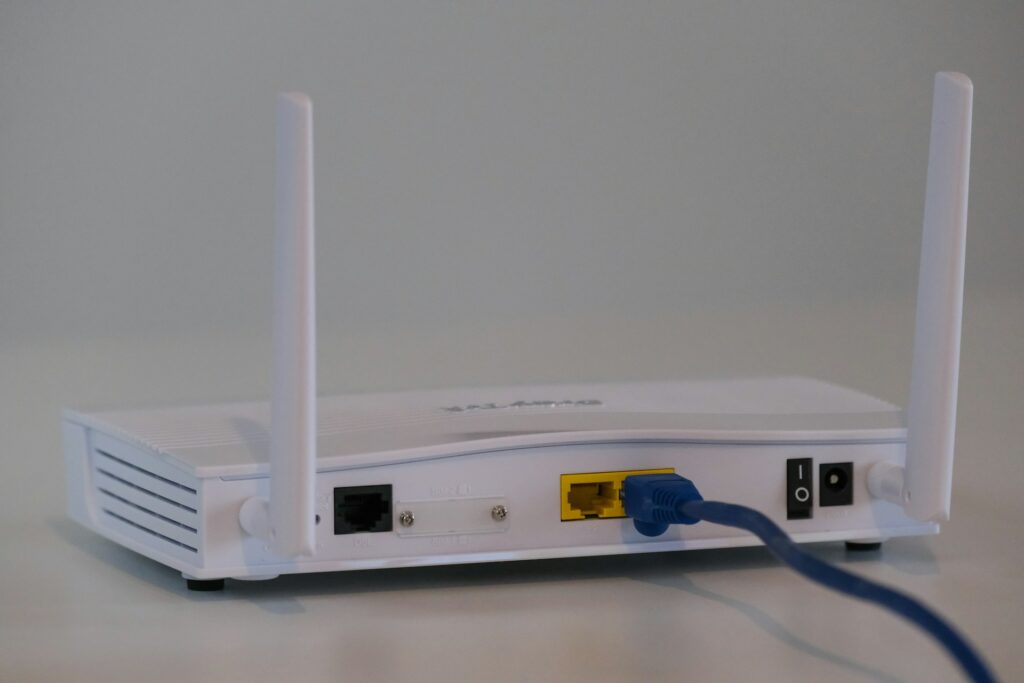
The Madasafish and broadband infrastructure, in general, are constantly updated to provide new features and improve reliability as technology evolves. Always ensure that the Madasafish broadband router is running on the latest software.
Most Madasafish internet routers allow you to perform the software upgrade by logging on the Madasafish broadband router and simply clicking on a button to start the update.
If you can’t do this, get in touch with Madasafish and they will be able to perform the upgrade for you or guide you through performing the upgrade yourself.
In addition to upgrading the software, if you have had hardware for a long time, it is worth speaking to Madasafish to request for a hardware upgrade.
Is the cause of the problem external to your home (at the exchange)?
This is probably the most common reason for Madasafish broadband performance issues in your area and is more common for internet broadband connections that are delivered using phone lines.
If you are not sure if this is relevant in your case, you should contact Madasafish who will be able to carry out the appropriate connection tests to check if there is a problem on the Madasafish internet line.
Is the performance issue due to Madasafish broadband congestion?
If you are finding that the Madasafish broadband connection speed in your area is slow during certain periods e.g weekends and evenings, then it may be because of congestion during peak times.
You should contact Madasafish to check your guaranteed speed.
Find Best Alternatives to Madasafish Broadband
Test your Madasafish internet connection
After the issue has been resolved either by yourself or Madasafish, retest the internet connection using at least two independent Speedtests to ensure the fault is fixed: